
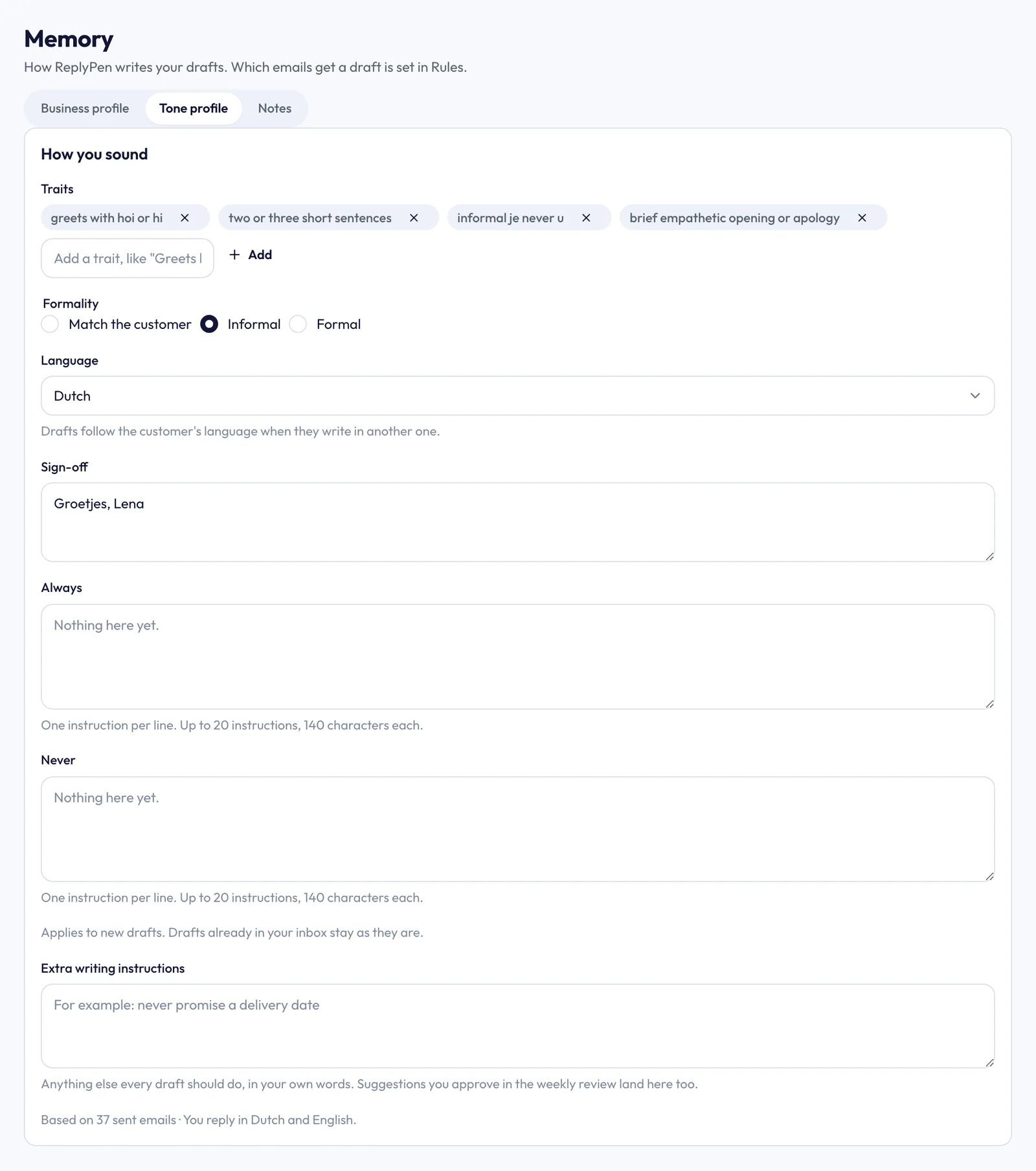
The Tone profile, built from the emails you sent.
What can I set?
- Traits: short descriptions of how you sound, such as “two or three short sentences”. Remove one with its cross, or type a new one and click Add.
- Formality: Match the customer, Informal or Formal.
- Language: the language drafts use by default. Drafts follow the customer’s language when they write in another one.
- Sign-off: how drafts end, for example your first name.
- Always and Never: one instruction per line, up to 20 instructions of 140 characters each. For example, Always: “Share the tracking link when someone asks where their order is”. Never: “Promise a delivery date”.
- Extra writing instructions: anything else every draft should do, in your own words.
Click Save when you are done, or Discard to undo your changes.
Will drafts that are already in my inbox change?
No. Tone changes apply to new drafts; drafts already in your inbox stay as they are. Ask for a rewrite in the ReplyPen panel in Gmail or Outlook to update one.
Tone or Rules?
The Tone profile sets how a draft reads. Which emails get a draft is set in Rules.