
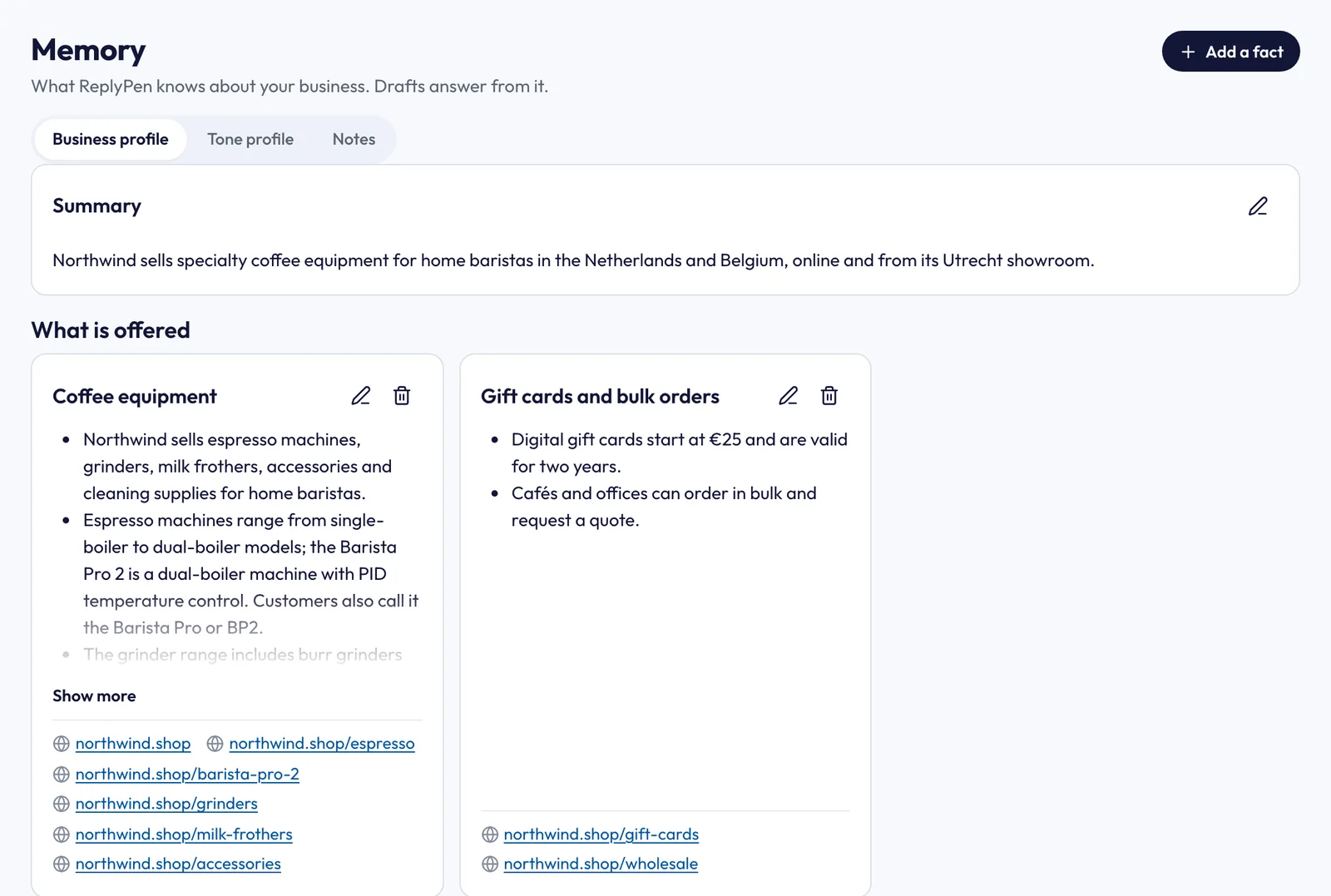
The Business profile. Each card lists the sources its facts came from.
Change or remove a fact
- Go to Memory, tab Business profile.
- Click the pencil on the card.
- Under Facts, change the lines: one fact per line. Clear every line to remove the card.
- Click Save.
To remove a whole card, click the bin and confirm. Drafts stop using its facts.
Add a fact
Click Add a fact, write it in plain words, for example “We ship to Belgium for €6.95, free over €60”, and save. Use New section for a topic that has no card yet.
Notes: know-how that is not on your website
The Notes tab is for everything else drafts should know, one page per topic: how you handle wholesale, repairs or special requests. Click New page, give it a title, write what a good answer needs and click Create page. Use Rename page or Delete page to tidy up.
Will drafts that are already in my inbox change?
No. Changes in Memory apply to new drafts. To update a draft that is already waiting, ask for a rewrite in the ReplyPen panel in Gmail or Outlook: see rate a draft or ask for a rewrite.